When Your Mac Admin Password Isn’t Accepted… Until You Reset SecureToken
Originally published on Medium.
When Your Mac Admin Password Isn’t Accepted… Until You Reset SecureToken
On macOS, there’s nothing more frustrating than typing your known admin password into a system dialog — only to have it rejected, over and over. I experienced this annoyance while attempting to enable the “Allow JavaScript from Apple Events” setting in Safari’s Developer options. Even more confounding: my account was an administrator, my password worked for login and sudo, and yet every GUI authentication window (including Software Update) stubbornly refused to recognize it.
The Symptom
Here’s what I saw — this password dialog from Safari, demanding my credentials, and persistently rejecting them:
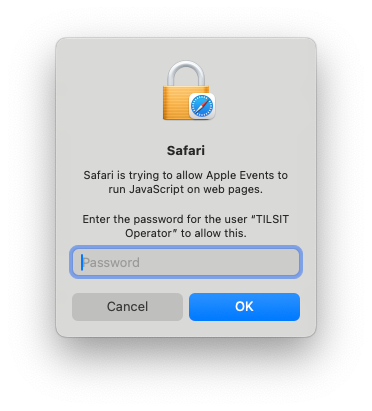 I AM entering the password!
Does that look familiar? It might, if you’ve struggled with advanced macOS settings, particularly after system upgrades, account migrations, or changes to device management.
Diagnosing the True Cause
After checking the basics — physical access, correct password, admin group membership, TCC resets, and countless reboots — I made a key discovery: a different admin account on the same Mac worked just fine; only one user was seeing the problem.
Digging deeper, I learned this wasn’t just a permissions issue or TCC corruption. The culprit was SecureToken, Apple’s cryptographic user authentication feature introduced for FileVault and privacy-related operations. If your admin account lacks SecureToken, it may be able to log in and use Terminal, but system password dialogs will fail — silently and stubbornly.
SecureToken is distinct from FileVault and Mobile Device Management (MDM) privileges, although it’s deeply intertwined with both. An account may have FileVault unlock capability or MDM admin permissions, yet lack SecureToken, resulting in unexpected authentication failures in GUI dialogs — especially in enterprise-managed environments.
A quick check in Terminal (replace USER with your account shortname):
sysadminctl -secureTokenStatus USER
If you see ENABLED you’re fine. If not: that’s the bugbear blocking you!
The Solution: Restore SecureToken
I followed this approach, using a working admin account:
- Log in locally (not via screen sharing or remote desktop) on a SecureToken-enabled admin account — the one where you can successfully run Software Update, enable Safari settings, etc.
- Open Terminal and run:
`sudo sysadminctl -secureTokenOff USER -password USER_PASSWORD interactive` (substitute the affected user’s name and password for USER and USER_PASSWORD) macOS will prompt for GUI authentication (Touch ID/password).3. Continue by activating the secureToken: `sudo sysadminctl -secureTokenOn USER -password USER_PASSWORD interactive` (substitute the affected user’s name and password for USER and USER_PASSWORD) macOS will prompt for GUI authentication (Touch ID/password).4. Verify the change was successful: `sysadminctl -secureTokenStatus USER` You should now see `Secure token is ENABLED for user`5. Log out, then back in to the affected account. Now, authentication dialogs should accept your password everywhere: Safari, System Settings, Software Update, and beyond.Lessons and References
This experience is well documented — if you know what to search for. In particular, the Apple sysadmin and JAMF communities highlight SecureToken quirks as a root cause for GUI password failures even for admin users:
• “Unable to remove secure token from a user” — JAMF Community
• Reddit: Admin password not accepted for System Preferences
Unfortunately, there are quite a large number of blandly informative yet completely unhelpful articles that suggest endless reboots, resetting TCC, or even deleting the affected account. I’m here to tell you those suggestions are either useless or indeed harmful.
Conclusion
If your admin account can’t authenticate password dialogs, and another admin account works, check SecureToken first. Fixing it is usually just a command away. You’ll save hours of head-scratching, blind alleys, and cursing the wisdom of the ancients.
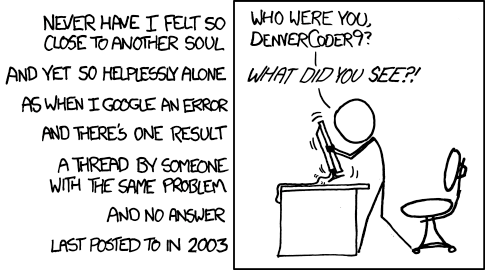
Endnote: I solved this problem during a thorough rubber-ducking session with Perplexity AI, which also aided in drafting the article. I don’t miss working in an office, but it’s sometimes nice to have a coworker to bounce ideas off.